
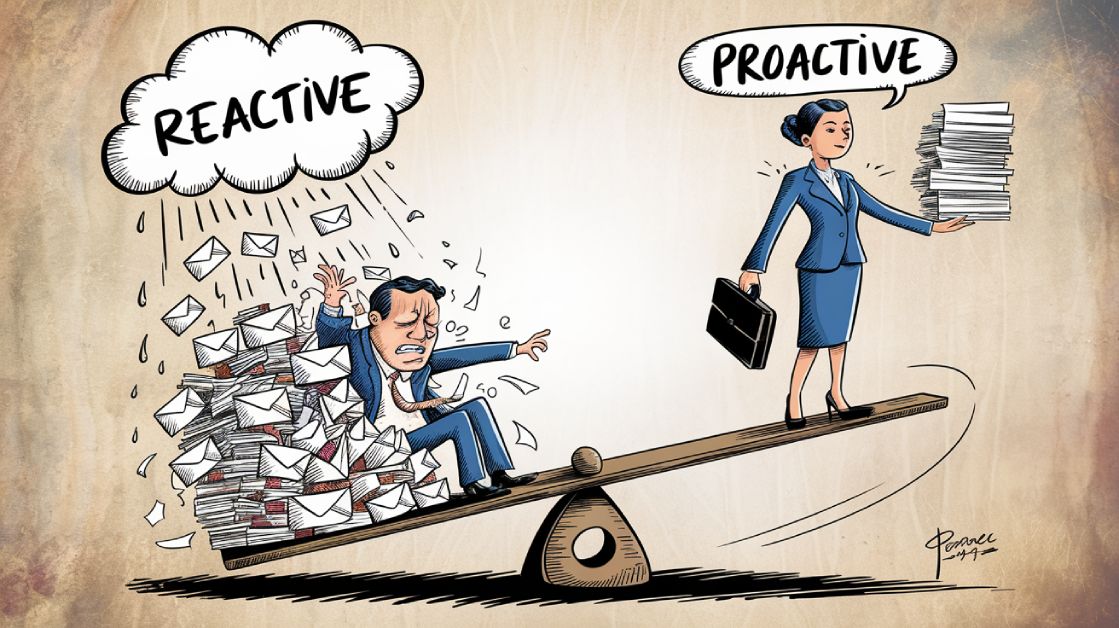
Did you know professionals spend 3.1 hours daily on email? The way you manage your inbox can either boost your productivity or drain your focus. Here’s a quick breakdown of two email management approaches:
Proactive Email Management:
- Plan Ahead: Set specific times to check emails (e.g., 10 AM, 2 PM, 4 PM).
- Use Tools: Automate sorting and use templates for faster replies.
- Stay Focused: Reduce interruptions and dedicate time to deep work.
Reactive Email Management:
- Immediate Responses: Reply to emails as they arrive.
- Disruptive: Frequent interruptions impact focus and productivity.
- Higher Stress: Constant checking leads to burnout and chaos.
Why It Matters:
- Proactive strategies save time, improve response quality, and lower stress.
- Reactive habits often lead to rushed replies, mistakes, and missed priorities.
Quick Comparison:
| Aspect | Proactive Management | Reactive Management |
|---|---|---|
| Time Spent Daily | 1 hour 44 minutes | 3 hours 16 minutes |
| Focus | Structured and uninterrupted | Frequent interruptions |
| Response Quality | Thoughtful and clear | Often rushed and unclear |
| Stress Levels | Lower | Higher |
Key takeaway: Proactive email management helps you take control of your time and reduces stress, while reactive habits can disrupt productivity and lead to burnout.
Read on for strategies to implement proactive habits and balance both approaches effectively.
Differences Between Proactive and Reactive Email Management
Time Management Comparison
The biggest difference between proactive and reactive email management shows up in how time is spent. People who check emails reactively – about every 6 minutes – end up dedicating around 3 hours and 16 minutes daily to email tasks. On the other hand, those who manage emails proactively spend only 1 hour and 44 minutes. There’s also a hidden cost: reactive email checking leads to a 23-minute recovery time after each interruption, which can seriously hurt productivity.
Effect on Communication Quality
How you manage your emails also impacts the quality of communication. Proactive email management allows users to set aside time to write more thoughtful and complete responses. This approach reduces the need for follow-up emails by 32%, according to a Stanford study from 2024.
| Aspect | Proactive Management | Reactive Management |
|---|---|---|
| Response Quality | Detailed and well-considered replies | Often rushed and incomplete |
| Follow-up Needed | Fewer clarification emails | More back-and-forth communication |
| Message Clarity | Clearer due to focused attention | Less clear, rushed responses |
Stress and Workload Effects
Stress levels also differ greatly between these two approaches. A study from the University of California, Irvine, found that employees who avoided email for five days experienced lower stress levels and healthier heart rates compared to those who constantly accessed their inboxes.
When it comes to workload, proactive managers stay in control by scheduling email time, while reactive managers often feel overwhelmed – especially during busy periods. This structured approach aligns with the earlier time management benefits, helping to maintain productivity and reduce chaos.
Benefits of Proactive Email Management
Increased Productivity and Focus
Managing email proactively can significantly cut down on wasted time. According to McKinsey, professionals typically spend 28% of their workweek on email, but proactive strategies can slash that in half. A 2024 Zendesk study also revealed that companies using these methods achieved a 42% increase in first-contact resolution rates and a 38% boost in customer satisfaction.
Improved Customer and Team Communication
Proactive email practices don’t just benefit individuals – they also streamline communication within teams and with customers. Companies that use shared inboxes and collaborative tools report faster response times and better email quality. Here’s how it breaks down:
| Communication Aspect | Impact |
|---|---|
| Response Speed | 30% faster average response time |
| Customer Satisfaction | 25% higher satisfaction scores |
| Reduced Follow-ups | 40% fewer back-and-forth emails |
Enhanced Work-Life Balance
The ripple effects of better email management go beyond work, improving personal wellbeing too. Microsoft’s 2024 Work Trend Index found that professionals using structured email systems experienced 45% greater work-life satisfaction and were 60% less likely to feel burned out.
Tools like SaneBox help reduce after-hours email checking by up to 90%. Meanwhile, services like InboxDone.com offer dedicated assistants who tailor email handling to your style, cutting daily email time down to just 30 minutes.
Drawbacks of Reactive Email Management
Constant Interruptions
Reactive email management might seem effective at first glance, but it comes with a hefty price. Constant interruptions caused by checking and responding to emails can derail your focus. Research shows it takes 23 minutes to regain concentration after an interruption. On top of that, frequent task-switching can lower your productivity by 20%, which is similar to the effects of being sleep-deprived.
Missed Opportunities and Mistakes
Rushing to clear out an inbox often leads to errors and missed details. These mistakes can severely impact the quality of communication, undermining the advantages of a more deliberate, proactive approach.
| Issue | Consequence | Rate |
|---|---|---|
| Rushed replies | Incomplete information | 65% |
| Overlooked priorities | Missing critical messages | 40% |
| Follow-up failures | Broken commitments | 35% |
These missteps cancel out the benefits of resolving issues on the first try, which is a key strength of proactive email strategies.
Increased Stress and Burnout Risk
The toll on mental health is another major downside of reactive management. Constantly monitoring emails creates a sense of chaos and lack of control.
“Reactive email management is like drinking from a fire hose – overwhelming and uncontrollable”, says Dr. Gloria Mark from UC Irvine.
Studies back this up, showing that constant email vigilance can lead to:
- Higher cortisol levels throughout the day
- Persistent anxiety over incoming messages
- A reduced ability to manage workloads
- Blurred boundaries between work and personal life
These stressors highlight the hidden emotional costs of a reactive approach to email.
Steps to Implement Proactive Email Management
Effectively managing your emails requires a clear plan and the right strategies. Here’s how you can take control of your inbox:
Organizing Your Inbox
A well-structured inbox is the first step. Start by setting up folders that align with your workflow.
| Folder Type | Purpose | Automation Example |
|---|---|---|
| Priority Level | Separate urgent from routine emails | Client emergencies, team updates |
| Project Status | Track active and completed projects | Current projects, archived work |
| Response Time | Organize by required action time | 24-hour replies, weekly follow-ups |
| Department | Group by business function | Sales inquiries, support tickets |
Use automated filters to direct emails into these folders as they arrive. This system lays the groundwork for better time management, which leads us to the next step.
Setting Email Time Blocks
Blocking specific times for email management can help you stay focused and productive. Plan your email sessions around your most productive hours:
- Morning: Spend 30 minutes handling urgent emails.
- Midday: Dedicate 20 minutes to time-sensitive replies.
- End of Day: Use 30 minutes to address pending items.
This approach ensures emails don’t disrupt your entire day.
Using Tools and Services
Leverage tools to streamline your email workflow. For example, SaneBox can automatically filter out 60% of unnecessary emails, while templates reduce the time spent on repetitive replies.
| Tool Type | Function | Impact |
|---|---|---|
| Email Sorting | Automates prioritization | Cuts inbox clutter by 60% |
| Response Templates | Speeds up replies | Saves up to 80% of response time |
| Follow-up Tracking | Sends reminders | Boosts response rates by 45% |
Introduce these tools gradually to make the process manageable and effective over time.
Balancing Proactive and Reactive Approaches
Proactive strategies often take center stage in best practices, but having reactive capabilities is crucial for handling urgent situations effectively.
When Reactive Management Is Needed
Certain situations call for immediate action and demand a reactive approach. Here’s how they break down:
| Situation | Action | Outcome |
|---|---|---|
| Customer Emergencies | Immediate Response | Service Continuity |
| System Alerts | Quick Investigation | Operational Stability |
| Legal Matters | Same-day Handling | Compliance Assurance |
| Executive Requests | Priority Processing | Strategic Support |
| Security Incidents | Rapid Resolution | Asset Protection |
Creating a Combined Approach
Balancing structure and flexibility is key when managing both proactive and reactive tasks. Here’s how you can achieve it:
- Use Priority Levels: Build on earlier folder systems by introducing a three-tier priority labeling system. This helps categorize incoming messages based on urgency and importance.
- Set Time Blocks: Allocate specific times for handling emails proactively, while staying available for pressing issues. For instance, schedule three 30-minute blocks each day for routine emails, while keeping an eye on priority messages.
- Automate Where Possible: Utilize tools like auto-responders to handle routine queries, ensuring urgent messages are flagged for immediate attention.
Moving to Proactive Habits
Transitioning to proactive habits doesn’t happen overnight – it’s a gradual shift. Here are some steps to get started:
- Fixed check-in times (e.g., three times daily) can reduce interruptions by 36%.
- Using template responses can lead to 80% faster replies.
- Limiting notifications selectively can boost productivity by 15%.
- Delegating email tasks can lighten your workload by 25%.
To enhance this system, create specialized templates for emergencies. This builds on the stress-reduction strategies outlined earlier, allowing you to focus on what matters most without sacrificing responsiveness. This combined approach ensures you’re prepared for urgent scenarios while reclaiming valuable focus time.
Conclusion
Key Takeaways
Moving from constantly reacting to emails to a more structured approach marks a big shift in how professionals handle communication. Research from the University of California, Irvine, shows that using batch processing for emails can make workers 33% more productive compared to those who keep checking their inbox throughout the day.
A report from McKinsey Global Institute highlights that better email management can free up to 2 hours daily, allowing professionals to focus on more important tasks. This directly tackles the 3.1 hours a day many spend on email, as noted earlier.
For those feeling overwhelmed, services like InboxDone.com offer customized systems through their dual-assistant model. These assistants help implement structured strategies while ensuring urgent messages are handled promptly.
Steps to Get Started
Here’s a simple phased plan to help you take control of your email:
| Action | Timeline | Expected Outcome |
|---|---|---|
| Schedule specific times to check emails | Week 1-2 | 36% fewer interruptions |
| Create and use template responses | Month 1 | 80% quicker replies |
| Set up priority systems for emails | Quarter 1 | 15% boost in productivity |
A 2024 Harvard Business Review study found that organizations using these techniques reduced email-related mistakes by 67%. Additionally, the American Psychological Association reports that 52% of Americans feel stressed by constant email checking, underlining how widespread the issue is. By adopting these strategies – or even seeking professional help – you can turn email from a source of stress into a tool that works for you.
FAQs
Here are some common questions about proactive email strategies and their practical use:
Why is proactive customer service better than reactive customer service?
Research from Forrester shows that proactive customer service can lead to a 20-30% drop in inbound inquiries. This aligns with the earlier mentioned 40% reduction in back-and-forth emails. For instance, sending automated updates about shipping delays before customers reach out shows you’re ahead of the issue and helps reduce the workload for support teams.
What is the difference between reactive management and proactive management?
It all comes down to timing and approach. Reactive management deals with problems as they happen, often resulting in rushed fixes and unnecessary stress. On the other hand, proactive management identifies potential issues early and takes steps to prevent them. Gartner reports that proactive strategies can cut email volume by 15%, reinforcing earlier time-saving insights.
What is an example of reactive and proactive customer service?
Here’s how the two approaches differ in action:
Proactive:
- Notify customers about shipping delays ahead of time.
- Provide tutorial videos before a product launch → Leads to 30% fewer support tickets.
Reactive:
- Only address issues after complaints are made.
- Repeatedly respond to the same feature-related questions → Increases workload.
“The way you manage your email can make or break your productivity. Proactive email management is not just about organizing your inbox; it’s about taking control of your time and attention.” – Cal Newport, Productivity Expert



