
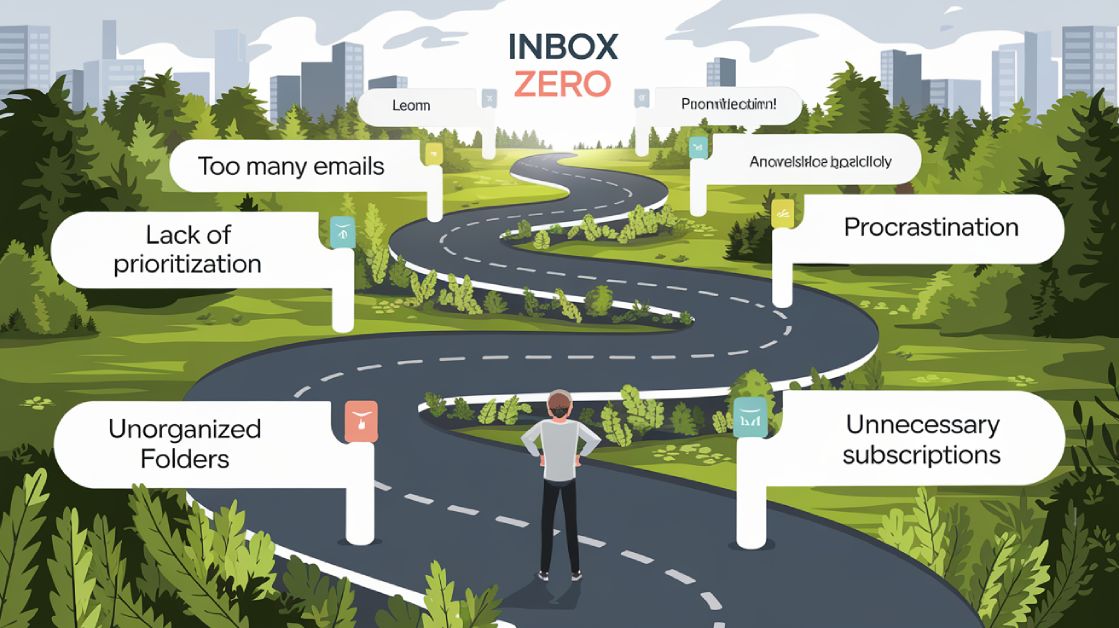
Inbox Zero isn’t about having no emails – it’s about managing them efficiently to reduce stress and reclaim your time. Professionals spend 28% of their workweek on emails, and the average person handles 121 emails daily. Here are the five biggest challenges to achieving Inbox Zero and how to overcome them:
- Too Many Emails: Use the “one-touch rule” and email filters to process messages quickly.
- Disorganized Inbox: Create folders and automate sorting for better organization.
- Prioritization Issues: Label emails by urgency and use tools to highlight key messages.
- Poor Time Management: Set specific times for email and batch similar tasks together.
- Lack of Support: Consider hiring a virtual assistant to manage your inbox.
Too Many Emails? Use These Proven Techniques
1. Too Many Emails to Handle
The average professional gets around 121 emails every day, which can lead to decision fatigue and procrastination. On top of that, managing emails eats up 28% of the workweek, making it a serious drain on productivity.
Solution: Process Emails Immediately
The “one-touch rule” can help you stop email overload. The idea is simple: decide what to do with each email as soon as you open it – respond, delete, archive, or add it to your task list.
Here’s how to make this work:
- Respond to emails that take under 2 minutes right away.
- Use templates for messages you send over and over again.
This habit keeps your inbox under control and helps you work toward the goal of Inbox Zero.
Solution: Use Filters and Labels
Filters and labels can do the heavy lifting for you by organizing emails automatically. Set up rules to sort messages based on priority, sender, or topic. For instance:
- Mark emails from key clients as urgent.
- Automatically label project-related emails.
- Send newsletters straight to a separate folder.
With these tools in place, you can focus on what matters most without getting bogged down by clutter.
Once you’ve tamed the sheer volume of emails, the next step is optimizing your inbox for even greater efficiency.
2. Disorganized Inbox
A messy inbox isn’t just annoying to look at – it can seriously hurt your productivity. According to Adobe, 92% of workers feel stressed by cluttered inboxes, and 64% even experience email-related anxiety. Keeping your inbox organized can help reduce stress and make it easier to find important emails without getting sidetracked.
Solution: Use Folders and Tags to Stay Organized
Set up a folder system that fits your workflow. For example:
- Use a ‘Projects’ folder for ongoing work.
- ‘Clients’ for communication with external contacts.
- ‘Action Required’ for emails needing immediate attention.
- ‘Reference’ for storing key documents.
- ‘Archive’ for emails you’ve already handled.
You can also use color-coded tags to make emails easier to spot. Assign red for urgent client emails, blue for internal updates, and green for project-related messages.
Solution: Automate Sorting to Save Time
Automation tools can make managing emails much easier. For instance, you can filter newsletters into a specific folder, sort project-related emails using keywords, or organize internal emails by department. Considering that workers spend about 28% of their workweek on email management, automation can free up a lot of time.
“An organized inbox is not just about tidiness; it’s about reclaiming your time and mental energy for more important tasks.” – Merlin Mann, Productivity Expert and Creator of Inbox Zero, Fast Company Interview 2023
Once your inbox is under control, the next step is making sure you focus on the most important emails at the right time.
sbb-itb-b0bc93c
3. Struggling to Prioritize Emails
Sorting through emails without a clear system can eat up your time and leave you feeling overwhelmed. Without prioritization, it’s easy to miss crucial messages or spend too much energy on less important ones.
Solution: Add Priority Labels
A structured priority system helps you focus on what matters most. Instead of treating every email as equally important, assign categories that determine how quickly you should respond:
| Priority | Response Time | Examples |
|---|---|---|
| Urgent | 2 hours | Client emergencies, executive requests |
| High | Same day | Project deadlines, team blockers |
| Medium | 48 hours | Updates, non-urgent requests |
| Low | 1 week | Newsletters, FYIs |
To make this system more effective, define clear rules for each priority level. You can also use color coding to make it visually easier – red for urgent, yellow for high, and green for low-priority emails.
As Chris Sacca aptly said:
“Email is a to-do list that anyone in the world can add an item to.”
Solution: Use Email Tools for Prioritization
Email management tools can save time by automating the sorting process. For example, SaneBox uses AI to rank emails by relevance, while Outlook’s Focused Inbox separates important emails from the rest. Boomerang allows you to schedule emails to reappear when you need them.
A study from Harvard Business Review found that 92% of employees feel stressed by email overload. Tools like these can reduce that stress by:
- Filtering out newsletters and promotional emails automatically
- Highlighting important messages from key contacts
- Setting reminders for follow-ups
- Analyzing patterns in your email habits
Once you’ve sorted your inbox, the next step is figuring out how to tackle those emails efficiently.
4. Poor Time Management for Emails
Managing your time effectively is key to staying on top of your inbox without letting emails take over your day. On average, professionals spend 2.6 hours daily dealing with emails. And here’s the kicker: according to the University of California, Irvine, it takes 23 minutes and 15 seconds to refocus after being interrupted by an email. Unchecked email habits can seriously drain your productivity.
Solution: Block Time for Emails
Set aside three specific 30-minute periods during the day – morning, afternoon, and late in the day – to handle emails. This method allows you to focus on your inbox without constant interruptions, keeping your attention where it matters most.
“Email is familiar. It’s comfortable. It’s easy to use. But it might just be the biggest killer of time and productivity in the office today.” – Ryan Holmes, Founder and CEO of Hootsuite
Solution: Batch Similar Emails Together
Instead of switching between different types of emails, group them into categories. For example, handle quick replies, detailed responses, and action-oriented emails in separate sessions. This reduces decision fatigue and helps you work more efficiently. Plus, research shows that checking emails too often increases stress levels. By setting boundaries around email time, you can protect both your productivity and mental well-being.
The goal isn’t to answer every email instantly – it’s to manage them in a way that safeguards your time for more important tasks. While these strategies can help, staying consistent with your email habits is key to making them stick.
5. No Consistent Support for Email Management
Managing email overload requires more than just occasional strategies – it needs ongoing support. Without it, the steady stream of emails can quickly take over. In fact, emails take up nearly a third of the average professional’s workweek, pulling focus away from key tasks and priorities.
Solution: Hire Virtual Assistants
Virtual assistants can bring order to your inbox, handling emails efficiently and freeing up your time. A dedicated assistant typically spends 2-3 hours a day managing emails, which can save you up to 15 hours each week.
“Email management isn’t just about clearing your inbox – it’s about reclaiming your time and mental space to focus on what truly matters in your business.” – Claire Giovino, Co-founder of InboxDone
When choosing an email management service, focus on factors like security, communication style, availability, and experience. Services like InboxDone handle tasks such as sorting messages, drafting replies, managing follow-ups, and organizing filing systems, saving you hours every week.
The key to success lies in selecting a provider that aligns with your needs. Look for services with strong training programs and strict confidentiality measures. With the right support, staying on top of your inbox becomes a long-term, manageable solution.
Conclusion
Reaching Inbox Zero isn’t just about an empty inbox – it’s about creating systems that keep your email under control for the long haul. Common obstacles like email overload, lack of organization, prioritization struggles, poor time management, and insufficient support can be addressed with practical strategies and tools.
Using quick-reply methods and automation can simplify your email workflow. Combining an organized inbox with time-saving techniques, such as batching emails or setting dedicated time blocks, helps cut down on distractions. If the challenges feel overwhelming, virtual assistant services can offer reliable support to keep your inbox in check.
Managing email effectively requires the right tools and a proactive approach. Whether you handle it on your own or with professional assistance, Inbox Zero is an ongoing effort. By tackling these challenges head-on, professionals can maintain Inbox Zero and enjoy improved productivity and focus.



