

Struggling to keep up with your inbox? You’re not alone. On average, professionals spend 5+ hours daily on emails, with roles like executives and project managers facing unique challenges. Poor email management can lead to missed deadlines, buried messages, and added stress. Here’s how to take control:
- Organize Your Inbox: Use folders, labels, and priority systems to sort emails by urgency and importance.
- Limit Email Checks: Stick to 2-3 set times daily to avoid constant interruptions.
- Automate Tasks: Use tools like Boomerang or Missive to schedule emails, set reminders, and filter messages.
- Secure Your Inbox: Enable two-factor authentication and avoid phishing scams by verifying senders and links.
Quick Tips
- Follow the “Two-Minute Rule” for quick tasks.
- Consolidate multiple accounts into one inbox for efficiency.
- Back up important emails regularly.
Tools to Help
| Tool | Purpose | Starting Price |
|---|---|---|
| Boomerang | Email scheduling & reminders | $4.99/month |
| Missive | Team collaboration & sorting | $14/month/user |
| Sortd | Task board for Gmail | $6/month |
| Calendly | Meeting scheduling | $8/user/month |
By adopting these strategies, you can save time, reduce stress, and stay productive. Ready to take control of your inbox?
Basics of Email Management
What Does Email Management Mean?
Email management isn’t just about reading and replying to messages – it’s about creating a system that helps you handle digital communication efficiently. It focuses on organizing, prioritizing, and maintaining your inbox in a way that boosts productivity and reduces stress.
Now that you know what email management is, let’s dive into the common challenges people face and how to tackle them for a more organized inbox.
Common Problems with Email Management
Every day, around 162 billion spam emails are sent, making it a constant battle to keep your inbox tidy. Here are some of the biggest challenges:
- Information Overload: The flood of incoming messages can feel overwhelming. Spam filters can cut down on junk, and setting specific times to check emails can help you avoid constant interruptions.
- Missing Important Emails: Critical messages often get buried under less urgent ones. Tools like the Eisenhower Matrix, which categorizes tasks by urgency and importance, can help you focus on what matters most.
- Time Management Issues: Frequent email interruptions can derail your productivity. Limiting email checks to 2-3 set times a day can help you stay on track with other priorities.
How to Organize Your Inbox
“If an action takes less than two minutes to complete, it should be done as soon as it is defined.” – David Allen, Inventor of the Two-Minute Rule.
To keep your inbox under control, try organizing emails by priority and urgency. Here’s a simple system to follow:
| Priority Level | Response Time | Action Required |
|---|---|---|
| Urgent/Important | Within 1 hour | Take immediate action |
| Important/Not Urgent | Within 24 hours | Schedule a response |
| Not Important/Urgent | Within 48 hours | Delegate if possible |
| Not Important/Not Urgent | Weekly review | Archive or delete |
Using labels and folders can make this system even more effective. Create categories for different projects, clients, or administrative tasks to make finding messages easier and reduce clutter.
Even with a structured approach, challenges like too many emails or missed messages can still pop up. Tools like Boomerang and Missive can help with features like email scheduling, automated sorting, and smart filters to streamline your workflow.
Answers to Common Email Management Questions
How Can I Keep My Inbox Empty?
Keeping your inbox empty requires a consistent system. A great starting point is the “two-minute rule” introduced by productivity expert David Allen:
For emails that take longer, prioritize them based on their importance and urgency:
| Action Type | Timeframe | What to Do |
|---|---|---|
| Quick replies or urgent tasks | Under 2 minutes or within 24 hours | Respond immediately or schedule time |
| Reference materials | Weekly | File into appropriate folders |
| Newsletters/Updates | End of day | Archive or delete |
Once you’ve adopted a system for handling emails, the next step is deciding how often to check your inbox.
How Often Should I Check Emails?
Studies suggest that checking emails 2-3 times a day can boost productivity. Instead of constantly monitoring your inbox, set specific times during the day to review and respond. This helps you stay focused on other tasks and manage your correspondence more effectively.
How Do I Avoid Losing Important Emails?
A well-organized filing system is essential for keeping track of important emails. Use filters and labels to automatically sort messages. For example, InboxDone’s virtual assistants use a color-coded labeling system, cutting search time by 75% and ensuring no crucial emails are overlooked. Once you’ve secured important emails, the next challenge is managing multiple accounts efficiently.
What’s the Best Way to Handle Multiple Email Accounts?
Simplify managing multiple accounts by consolidating them into one central inbox using tools like Gmail or Outlook. Set up rules to automatically sort emails from different accounts into designated folders. For team-based business accounts, shared inbox tools can help everyone stay organized while collaborating effectively.
How Can I Automate Repetitive Email Tasks?
Automation can save hours on routine email tasks. Here are some examples of tasks you can automate:
- Follow-up reminders
- Responses to meeting scheduling requests
- Replies to common customer inquiries
- Processing invoices
- Distributing newsletters
Tools like Boomerang can help with scheduling emails and follow-ups, while Missive supports team collaboration. Canned responses for frequently asked questions and filters for auto-sorting emails by sender or keywords can further simplify your workflow.
sbb-itb-b0bc93c
Tools and Services to Help with Email Management
Managing your inbox can feel overwhelming, but the right tools can make a huge difference. Whether you’re looking for scheduling, automation, or complete inbox management, here are some top options to consider.
Boomerang
Boomerang helps you stay on top of your emails with features like scheduling, follow-up reminders, and even a ‘pause inbox’ option to temporarily stop notifications. Plans start at $4.99/month.
Missive
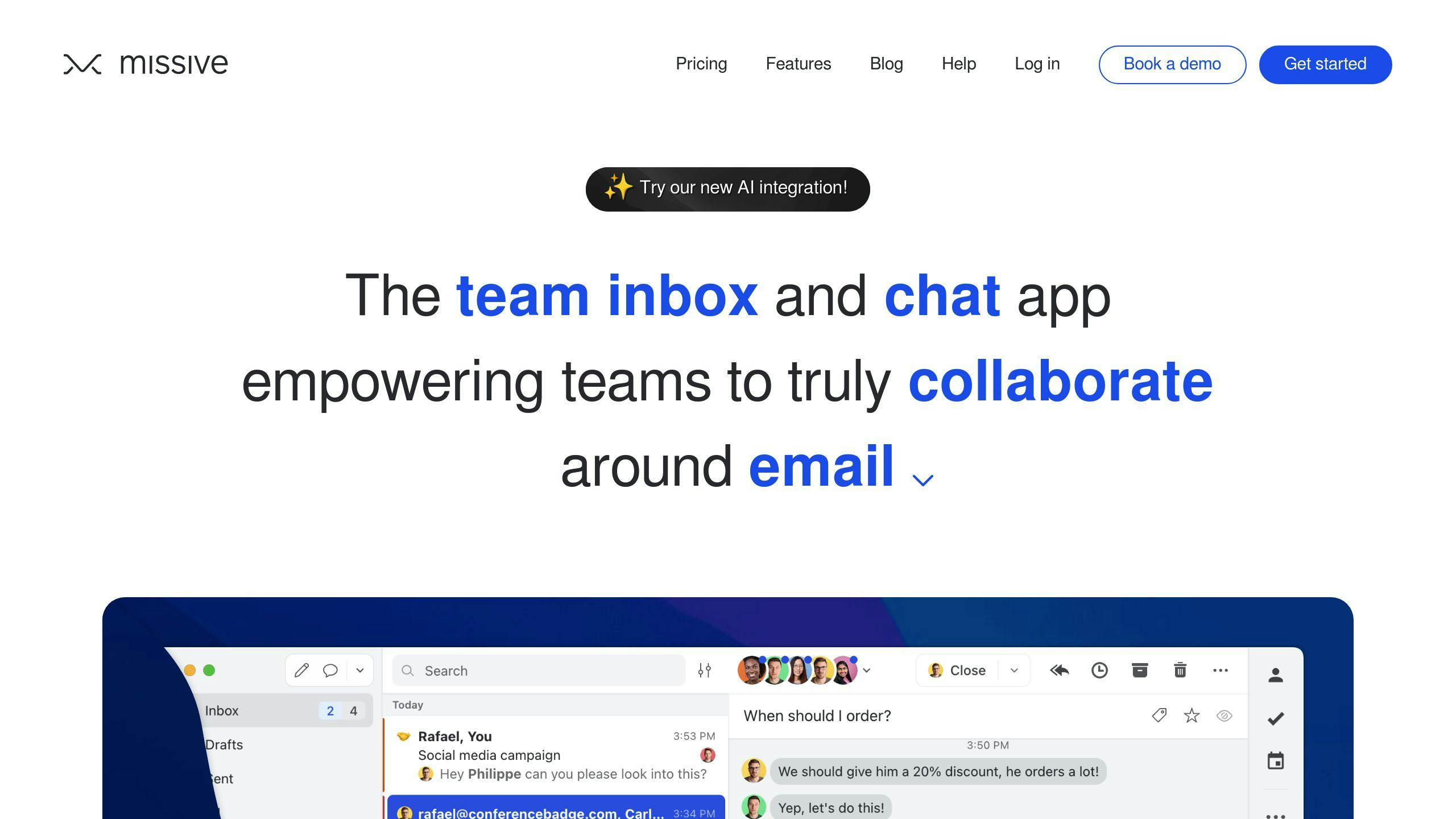
Missive is perfect for teams. It combines email and chat in one platform, making it easy to assign conversations or add internal notes. Pricing begins at $14/month per user.
Sortd
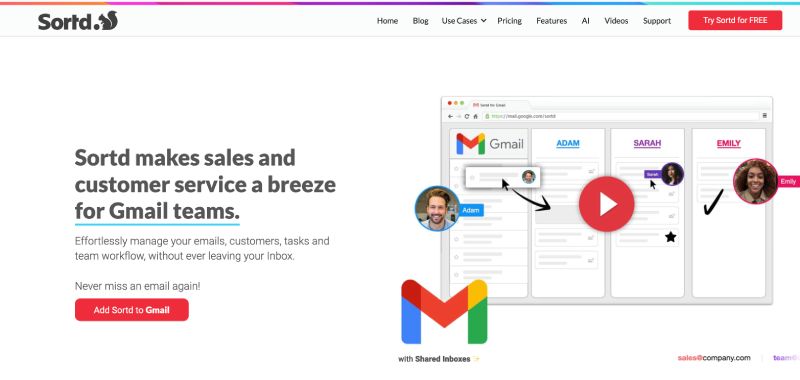
Sortd turns your Gmail into a task board, allowing you to drag and drop emails into categories like “To-Do”, “In Progress”, or “Completed.” It’s a simple way to visually organize your inbox. Plans start at $6/month.
InboxDone
For those with high email volumes, InboxDone offers a hands-off solution. For $1,995/month, you get 50 hours of support from two dedicated assistants who manage your email, calendar, CRM, and even data entry. It’s ideal for busy executives or business owners.
Calendly

Calendly takes the hassle out of scheduling meetings. It syncs with your calendar to display available time slots and automatically sends confirmations. Plans start at $8/user/month.
While these tools can simplify your email management, remember that keeping your inbox secure is just as important.
Keeping Your Emails Safe and Private
Managing your inbox is one thing, but keeping your emails secure is just as important for protecting your digital life. According to Verizon’s 2023 report, over 90% of data breaches involve phishing attacks, making it essential to take the right precautions.
How to Avoid Spam and Phishing Emails
Every day, around 162 billion spam emails are sent, putting your inbox at constant risk. Phishing attempts are common, but you can stay ahead of them by following these tips:
- Check sender addresses: Always verify the full email address, not just the display name. Scammers often use addresses that look legitimate at first glance.
- Inspect links carefully: Hover over any links before clicking to see where they actually lead.
- Be cautious with urgent requests: Emails that demand immediate action often aim to pressure you into making mistakes. Take a moment to verify their legitimacy.
How to Keep Your Emails Secure
Blocking spam is a good start, but protecting your email account requires more effort. Start with strong passwords and enable two-factor authentication (2FA). For instance, Google reported a 50% drop in unauthorized access attempts after implementing 2FA.
For even greater security, consider encrypted email services like ProtonMail or Tutanota. These providers ensure that only you and your recipient can read the messages while also safeguarding metadata.
Here’s a quick look at what top email providers suggest for keeping your account safe:
| Security Feature | Why It Matters | How to Use It |
|---|---|---|
| Two-Factor Authentication | Stops unauthorized access | Enable it in your account settings |
| End-to-End Encryption | Keeps messages private | Use services offering built-in encryption |
| Regular Password Updates | Prevents account breaches | Change your password every 60-90 days |
How to Back Up Your Emails
Backing up your emails ensures you don’t lose important messages. Most email providers include tools for automatic backups. You can also save key messages locally using email clients like Outlook or Apple Mail. For extra safety, store backups on two separate cloud platforms, such as Google Drive and Dropbox, to create redundancy.
Take Control of Your Inbox
Key Tips for Managing Emails
Did you know that a structured approach to email management can save professionals up to 2 hours a day? Research backs this up, and the secret lies in combining three main strategies: time management, organization, and security.
Start by using tools like the Eisenhower Matrix to sort your emails into urgent and non-urgent categories. This method helps you focus on what truly matters. Set aside specific times during the day to process emails instead of constantly checking your inbox – it’s a great way to avoid interruptions and stay productive. Tools like Boomerang and Sortd can make these strategies even easier to implement.
When it comes to time management, block out parts of your day for email tasks. For example, you could dedicate time slots to urgent issues, team updates, and general correspondence. This minimizes the mental drain caused by switching between tasks and keeps you on track.
What to Do Next
Ready to take charge of your inbox? Here’s how to get started:
- Set up dedicated time blocks for handling emails.
- Use folders and labels to keep everything organized.
- Boost security with two-factor authentication and regular email backups.
Keeping your inbox organized isn’t a one-time task. With over 162 billion spam emails sent daily, staying on top of things requires regular effort. Automate repetitive tasks with tools like Boomerang or Calendly, and revisit your email management strategy as your needs change. The goal isn’t to achieve perfection – it’s to create a system that works for you and keeps your productivity flowing.
FAQs
How to manage emails more effectively?
A well-organized email system can significantly reduce stress and save time. In fact, pairing a structured approach with time blocking can help professionals reclaim about 45 minutes each day.
Here’s a handy framework to streamline your inbox management:
| Area | Strategy | Impact |
|---|---|---|
| Time Management | Set aside 2-3 specific blocks of time daily for emails | Cuts down interruptions by 73% |
| Organization | Create a folder system with 5 main categories | Reduces search time by 50% |
| Automation | Use templates and auto-filters (e.g., sort newsletters) | Saves 5-7 hours each week |
Once your system is in place, simple habits – like addressing tasks that take less than a minute right away – can keep things running smoothly. For example, InboxDone reports that their clients reduce inbox time by 80% within the first month of adopting these methods, especially when combining filters with scheduled email sessions.
Another helpful tip is the “Touch It Once” rule. This means handling emails immediately when possible, which prevents the need to revisit them later. By blending this principle with smart automation and a clear organizational setup, you can keep your inbox under control without sacrificing your productivity.



