
Working Day-To-Day With Your Virtual Assistants
Summary:
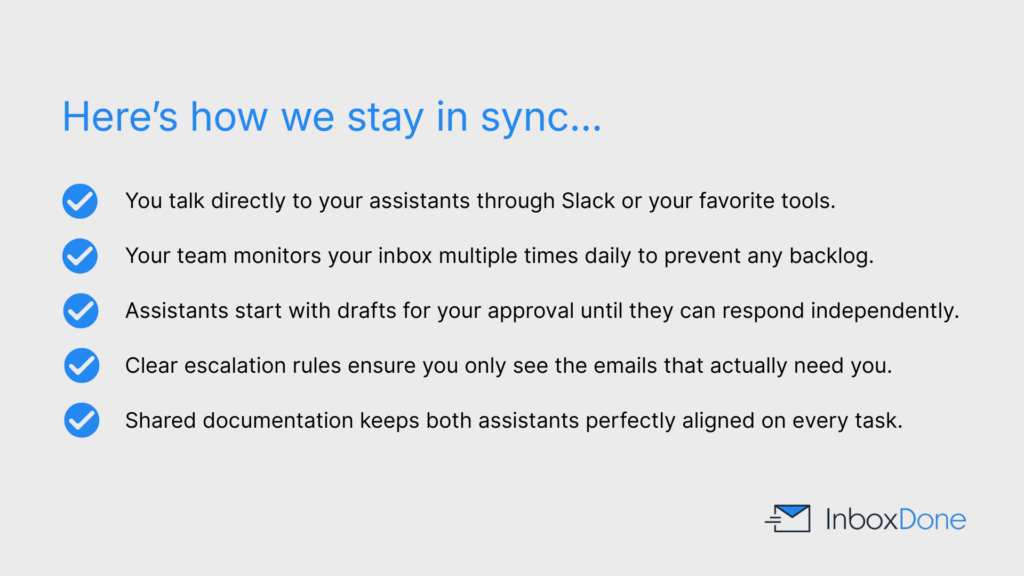
InboxDone supports a hands-on but low-friction working relationship through:
- Direct communication with assistants via Slack, email, or preferred channels.
- Regular inbox monitoring to prevent backlog and handle time-sensitive messages.
- Clear escalation rules for decisions that require attention.
The workflow typically progresses by:
- Starting with draft approvals for alignment.
- Moving toward full autonomy as preferences become clear.
- Applying feedback in real time without formal re-onboarding.
Service reliability is supported by:
- A two-assistant model with shared documentation and internal logging.
- Ongoing oversight that addresses performance issues without client involvement.
This structure allows the service to operate smoothly while staying aligned with client expectations.
Table of Contents:
- How do I communicate with my InboxDone virtual assistants?
- How often will my virtual assistant check my inbox?
- Will my assistant reply to emails without my approval?
- How do I give feedback or make changes to how my assistant works?
- What happens if my workload or priorities change?
- How do virtual assistants handle urgent or time-sensitive emails?
- Can I ask my virtual assistant to take on new tasks?
- How do assistants stay aligned if there are two of them?
- What does a typical day look like with InboxDone support?
- How do I measure success when working with a virtual assistant?
- What if something goes wrong or I am unhappy with the service?
How do I communicate with my InboxDone virtual assistants?
You communicate directly with your InboxDone assistants using your preferred channels, such as email, Slack, or another agreed-upon tool. Communication is straightforward and ongoing rather than routed through layers of management.
Assistants ask questions when needed and provide updates based on your preferences. This keeps collaboration efficient without requiring constant check-ins.
Clear communication helps assistants adapt quickly to changes in priorities.
How often will my virtual assistant check my inbox?
InboxDone assistants can monitor inboxes multiple times per day during scheduled coverage hours to support timely responses and prevent backlogs. Monitoring frequency varies based on:
- Your selected plan
- Inbox volume and activity levels
- Whether the inbox supports customer support or help desk workflows
High-priority inboxes or support queues may be checked more frequently. Coverage windows are defined during onboarding, so response expectations are clear from the start.
Will my assistant reply to emails without my approval?
Assistants begin by drafting replies for approval if you prefer. As trust builds, they respond independently within defined guidelines.
Approval thresholds are established early so assistants know when to act and when to escalate. These rules evolve over time as patterns become clear.
Most clients eventually allow assistants to reply autonomously to routine communication.
How do I give feedback or make changes to how my assistant works?
Feedback can be given directly through email, chat, or during scheduled check-ins. Small corrections help assistants refine tone and decision-making quickly.
InboxDone encourages real-time feedback rather than formal reviews. Assistants incorporate changes immediately.
Ongoing adjustments are a normal part of the service.
What happens if my workload or priorities change?
InboxDone assistants adapt as your workload evolves by updating how support is delivered, including:
- Adding new rules, templates, or workflows
- Refocusing on different priorities as needed
If volume increases, coverage levels can be adjusted. Changes are handled within the existing setup, so you do not need to re-onboard or start from scratch.
How do virtual assistants handle urgent or time-sensitive emails?
Urgent emails are flagged or escalated according to predefined rules. Assistants are trained to recognize time-sensitive issues based on sender, subject, and content.
You can choose how you are notified, such as instant messages or calendar holds. This ensures critical matters are not delayed.
Escalation rules are refined over time.
Can I ask my virtual assistant to take on new tasks?
Yes, new tasks can be delegated as they arise. Assistants help determine whether tasks fit within your current plan.
If tasks become recurring, assistants document them and build systems to handle them efficiently.
This allows delegation to expand naturally.
How do assistants stay aligned if there are two of them?
InboxDone uses shared documentation, templates, and internal communication to keep both assistants aligned. Work is logged and updated continuously.
This ensures consistency regardless of which assistant is active. Clients experience seamless service rather than fragmented support.
The two-assistant model reduces dependency on a single individual.
What does a typical day look like with InboxDone support?
Each day, InboxDone assistants manage your inbox and calendar by:
- Monitoring incoming messages
- Responding to routine emails
- Managing scheduling and calendar updates
- Flagging items that require your attention
They also keep your inbox organized by:
- Following up on pending threads
- Maintaining folders, labels, and filters
Updates are shared based on your preferences, resulting in a controlled inbox without constant intervention.
How do I measure success when working with a virtual assistant?
Success is typically measured by reduced inbox time, faster response rates, fewer missed messages, and lower cognitive load.
Many clients also track improved customer satisfaction or internal efficiency. Metrics are discussed if you want more formal reporting.
Most success is felt through regained focus and time.
What if something goes wrong or I am unhappy with the service?
If an issue arises, it should be raised immediately. InboxDone addresses problems quickly through adjustments, retraining, or reassignment if needed.
As InboxDone is a managed service, issues are handled by the company rather than left for you to resolve alone. You are not locked into long-term commitments if expectations are not met.
New Client Application: Book Your Discovery Call
Click the button to open up a short new client application form, then choose a day and time for your call with one of our team.
